Copies everywhere
JOBS_v3_FINAL and JOBS_v3_FINAL_new. Every copy is a chance for two people to work from different numbers.
Spreadsheets got you here. Now there are dozens of them, three versions of the important ones and one person who knows which is current. We move all of it into one connected system in Airtable that updates itself as work happens.
For owner-led businesses of 5 to 50 people in Canada and the US.
Someone overwrote a formula. Two people edited different copies. The job list says one thing and the invoice file says another. Answering a simple question means opening four files and asking the person who built them.
JOBS_v3_FINAL and JOBS_v3_FINAL_new. Every copy is a chance for two people to work from different numbers.
The customer's name goes into the quote file, the job list and the invoice. So does every price change and every mistake.
The person who built the spreadsheets is the only one who trusts them. When they're away, questions wait.
In one system, each customer is a single record. Quotes, jobs, invoices and payments link to it. Change a phone number once and it's right everywhere.
Mark a job done and it moves onto the ready-to-invoice list. Record a payment and the balance owing drops. Nobody goes back to update another file.
It's built in Airtable, which looks like a spreadsheet: rows and columns your team already understands. Underneath, it has links between records, rules that protect your data, a screen for each person and a history of every change.
We clean up and import the data you rely on: customers, products and prices, open jobs and orders, and anything else you need on day one. Your team tests with real data before the old files are retired.
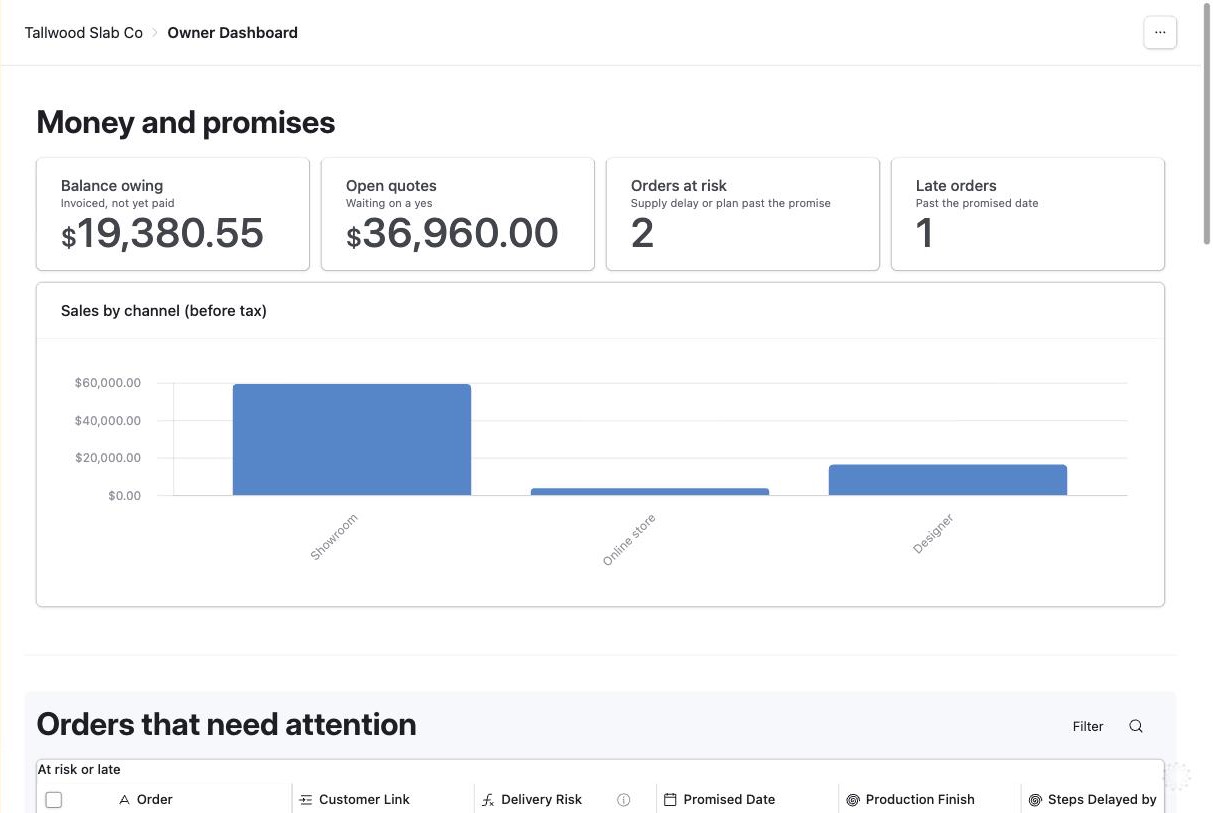
Our demo system for a furniture maker replaces the order sheet, the stock count, the production whiteboard and the GST spreadsheet. The owner opens one dashboard and sees money owed, open quotes and the orders that need attention.
Replaces: the Monday morning spreadsheet round-up.
Owners in these industries ask us for this most.
"Alison and I worked together on fuel supply and delivery contracts and various other initiatives over nearly five years. She was always prompt, professional and detail oriented."
Kerry Mehaffey, Executive in Indigenous government and business
Most businesses leaving spreadsheets start with the core system: customers, products, quotes, invoices, payments, jobs, meetings and an owner dashboard.
We go through your spreadsheets with you and decide what moves, what merges and what retires.
We build the system, import your data and train your team. Your part is about 2 to 5 hours a week.
We keep it running and make changes as your business grows.
Prices are before tax. Canadian clients pay GST/HST on top. Payment is by credit card.
Yes. Airtable has rows and columns, so it feels familiar on day one. Most people work in simple screens we build for their role, which are easier still.
Yes. Any list can be downloaded as a CSV file and opened in Excel or Google Sheets.
The calculations come with you, rebuilt as fields that nobody can overwrite by accident.
Keep them as an archive. Once your team has run on the new system for a few weeks, nobody needs to open them.
Usually 4 to 8 weeks, including importing your data and testing with real work. Your part is about 2 to 5 hours a week.
Tell us which spreadsheets run your business today. In 30 minutes you'll know what moving them into one system would take.
Book a free 30-minute call